Custom avatar dimensions not adhering in edit avatar

Korok's Avatar
Korok · in Bug Report
5 replies 234 views

I didn't see this reported anywhere, but apologies if it was and I missed it.

In the ACP, I changed the dimensions of the allowable avatar size from 400x400 at 200kb to 300x500 at 900kb. I've also tried 500x500 and 200x200 to see if it always had to be square, but nothing was reflected in edit profile > edit avatar.

However, it saves in the ACP. I can save my custom dimensions in the ACP, come back to it days later, and my custom choice is still in the ACP. It just doesn't seem to affect edit profile > edit avatar.

ACP where it reflects my choice:

Edit Profile > Edit Avatar:
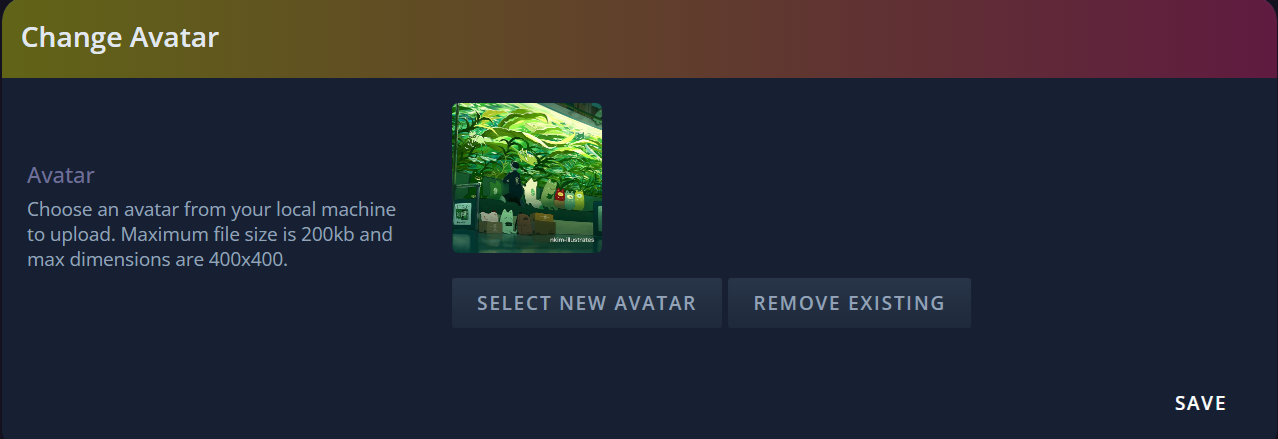
I've tried this on all three of my Spark forums I'm setting up, and all three do this.

Last edited by Korok

The only page you’d see this reflected would be the profile page, not the edit avatar page. Does it look like you want it in your profile page?

Also, checking on 3 sites is not needed. If there is a bug on one forum, it’s 99% certain it happens on all others.

To follow up, I’ll edit the add avatar page to reflect the correct size there also.

On Apr 29, 2026, Cedric said:

The only page you’d see this reflected would be the profile page, not the edit avatar page. Does it look like you want it in your profile page?

Also, checking on 3 sites is not needed. If there is a bug on one forum, it’s 99% certain it happens on all others.

To follow up, I’ll edit the add avatar page to reflect the correct size there also.

Understood!

And no. I think it's because it won't even let me upload images with the dimensions I want. If I try to upload anything larger than 400x400 and 200kb, it gives me this error:

I see. I’ll have a look and have it fixed. 😀

On May 2, 2026, Cedric said:

I see. I’ll have a look and have it fixed. 😀

Sorry, I haven't been able to work on my theme in a while so I haven't checked back in sooner.

Thank you for looking into it, Cedric!

Had a thought: would it be easier to implement the option for us to link images with the right dimensions, than upload?

Last edited by Korok

This is fixed in the upcoming release.

Theme: FS 2.0
Create Your Community with ForumSpark

ForumSpark is a modern community platform built on custom software. It combines the familiar feel of classic forums with a fast, simple experience designed for today’s communities.