Best way to create a homepage for ForumSpark forums?

Gizmo's Avatar
Gizmo · in Support
4 replies 15 views

If I wanted to have a proper homepage that visitors see when they first visit the main Spark Promotion domain, what would be the best way to set this up?

At the moment, it doesn't look like ForumSpark allows you to specify a custom homepage through the forum settings. I’d ideally like visitors who go directly to the main domain to see a homepage/landing page first, with a link or button to enter the forum.

Is there a recommended way to achieve this with ForumSpark, or would I need to use something outside of the forum software (such as a separate landing page or redirect)?

0

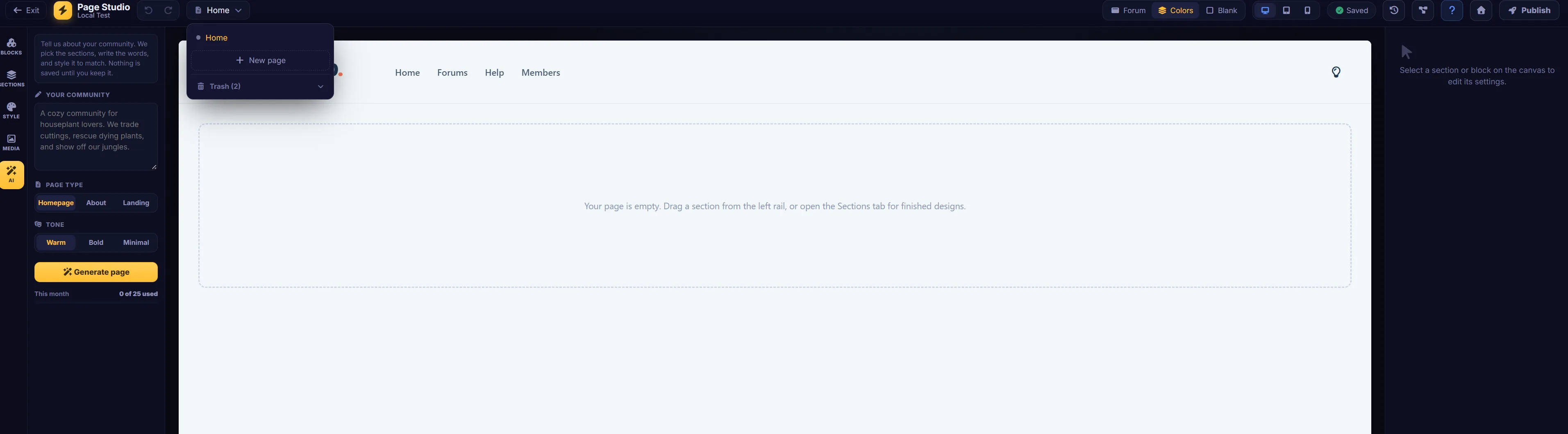
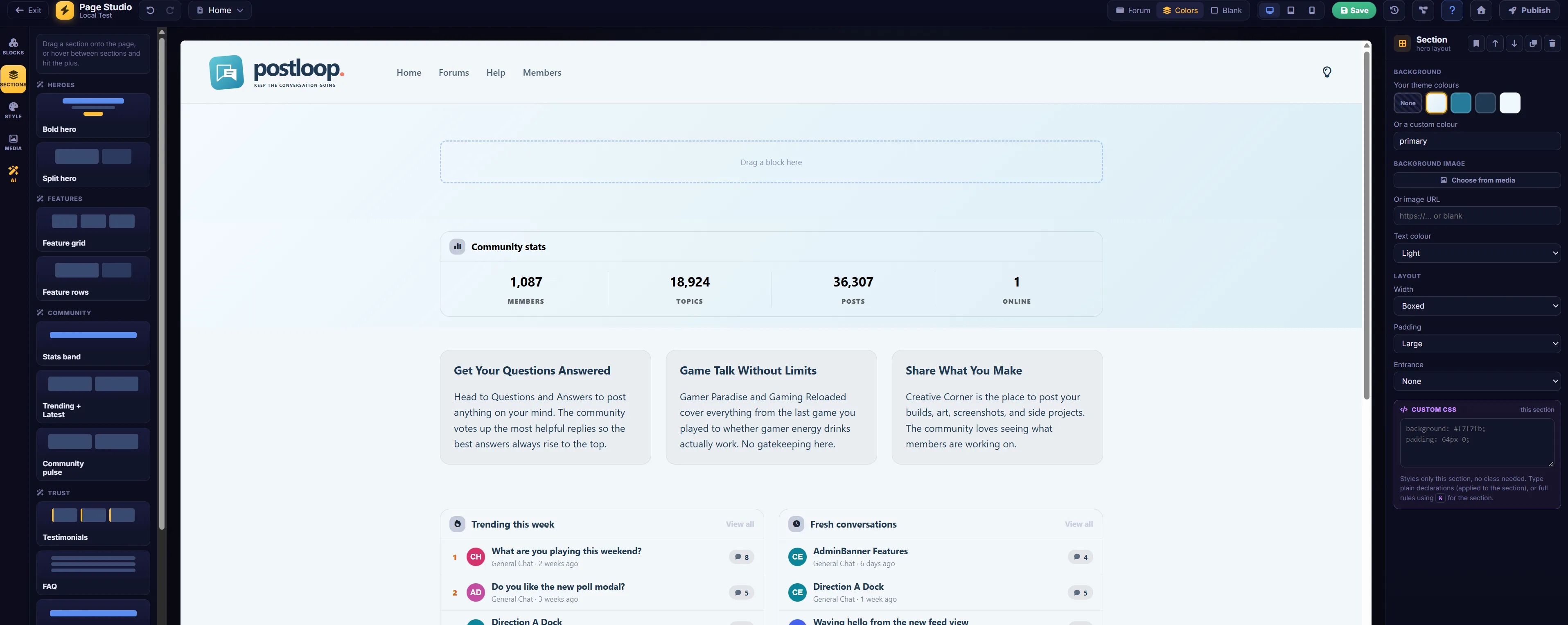
You can do this through the page studio in the ACP. I’m not exactly good at it though. lol I saw that Post Loop did theirs.

Last edited by NeoMetallix

0

I found this in the Documentation:

Build a site around your forum - ForumSpark Docs

Build a site around your forum

Updated September 14, 2026

A forum is a destination, but many communities want a front door too: a homepage that explains the place, an about page, a landing page for an event. Page Studio is a full drag and drop website builder living inside your board, no code involved.

yourboard.forumspark.net/admin/page-studio

Page Studio with pages and the editor

Appearance, then Page Studio: your pages, ready to build.

The building experience

A page is a stack of sections, and each section is built from blocks: heroes, text, images, galleries, buttons, live forum content. You drag blocks in, edit text right on the page by clicking it, and rearrange sections at will. The next guide tours the blocks in detail.

Making a page your homepage

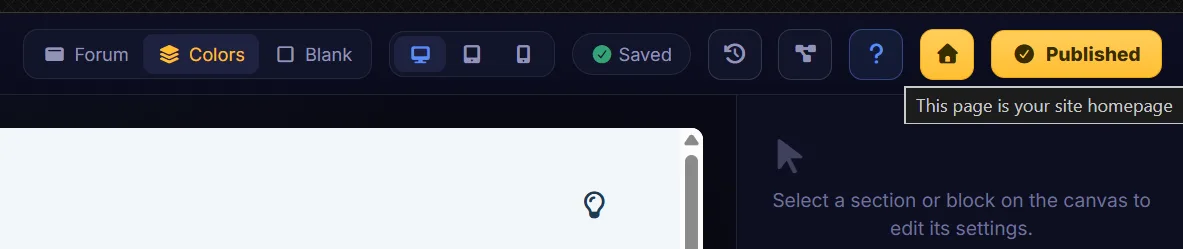
The move that turns your board into a website: set one of your pages as the board's homepage. Visitors then land on your designed page, with the forum one click away exactly where your menu puts it. Communities running events, studios with a game to show, creators with things to sell, this is the layout they're after.

Nothing is ever lost

Pages save versions as you work, there's a trash for deleted pages, and drafts stay private until you publish. Like everywhere else on ForumSpark, the destructive-looking moves aren't.

Start with the homepage and keep it to three sections: who you are, what's happening (a live forum block does this beautifully), and how to join. You can grow it forever, but that page alone already changes how your community reads to a stranger.

0

I’m probably dumb but I don’t see how to do this -

Making a page your homepage

The move that turns your board into a website: set one of your pages as the board's homepage. Visitors then land on your designed page, with the forum one click away exactly where your menu puts it. Communities running events, studios with a game to show, creators with things to sell, this is the layout they're after.

0

On Sep 15, 2026, Gizmo said:

I’m probably dumb but I don’t see how to do this -

Making a page your homepage

The move that turns your board into a website: set one of your pages as the board's homepage. Visitors then land on your designed page, with the forum one click away exactly where your menu puts it. Communities running events, studios with a game to show, creators with things to sell, this is the layout they're after.

I was hoping you’d figure it out because I don’t see how to do it either. It seems that it indicates it can be done, but doesn’t give step by steps, does it?

Theme: FS 2.0
Create Your Community with ForumSpark

ForumSpark is a modern community platform built on custom software. It combines the familiar feel of classic forums with a fast, simple experience designed for today’s communities.