
Hi everyone,
Moderating a board should be quick, and a wrong click shouldn't cost you a post forever. For 2.1 we rebuilt the moderation tools and the Media Gallery.
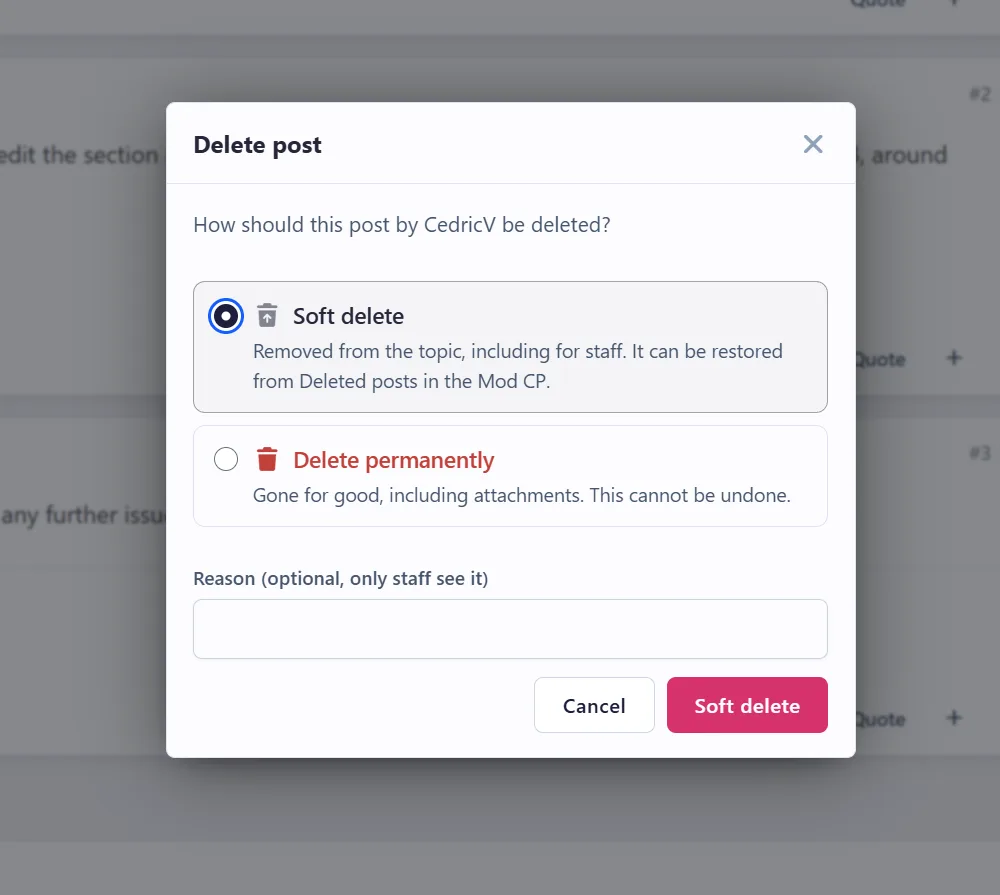
Deleting posts and topics
Until now, Delete removed a post right away and for good. That was too easy to get wrong. When you delete a post or topic now, you choose what happens: hide it, delete it with a reason so it can be restored, or delete it permanently.
Hiding, deleting and deleting permanently are separate group permissions. Your moderators can delete, and only the groups you pick can delete for good.
Everything that was deleted sits in the Mod CP under Deleted content. You can restore it or remove it permanently from there.
This also goes for statuses and replies on profile walls.
Approval queues
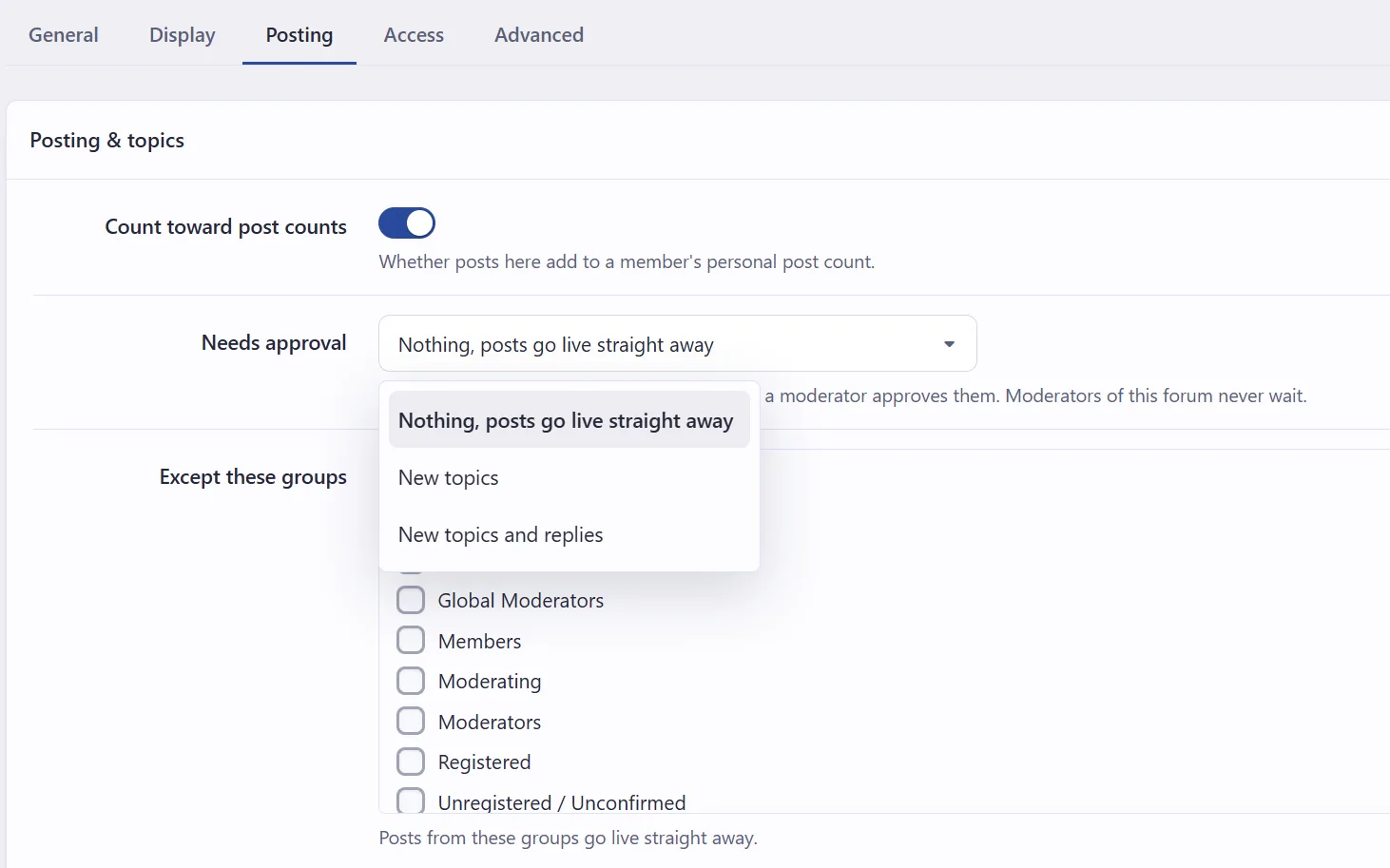
You can now pick forums where new posts wait for staff before anyone sees them.
Per forum you choose whether this goes for new topics only, or for topics and replies.
You pick which groups skip the queue.
Forum moderators can approve posts in their own forums, one at a time or several together.
Private messages can be held for approval too. This is a group permission and it's off by default.
Working on several posts at once
Select posts in a topic and move them to a new or existing topic, merge them, approve them or delete them. A note stays behind and the authors get an alert.
In a topic list you can add or remove labels on several topics in bulk and move them together.
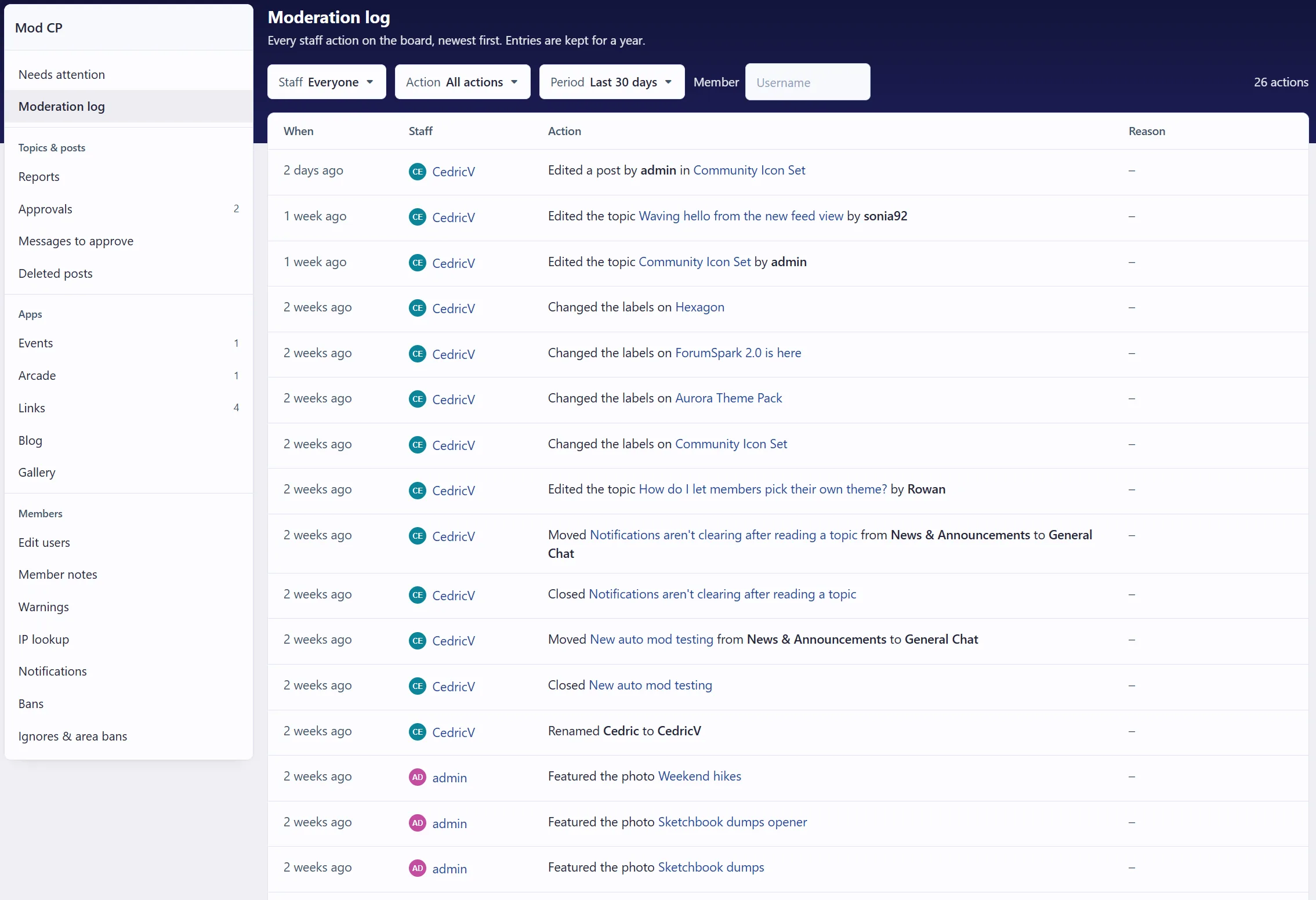
Mod CP
The Mod CP is calmer and easier to find your way in. It has a sidebar like the User CP, with breadcrumbs, tabs and plain labels.
A moderation log shows every staff action.
You write notifications to members in the full editor, and you can see who saw or confirmed each one.
The edit history of a post shows who changed it and when, with added and removed words marked. The full version is one click away.
Media Gallery
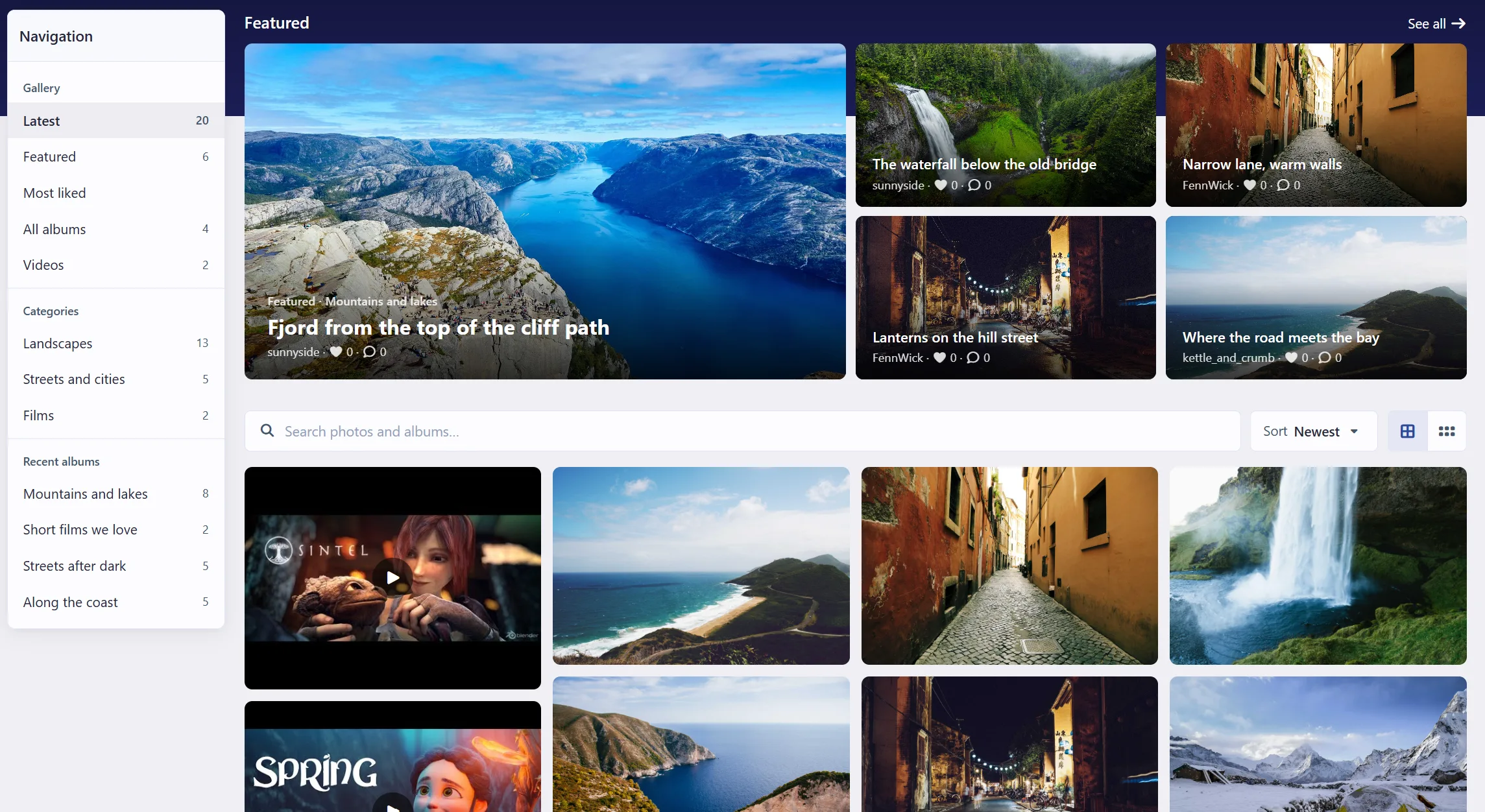
We rebuilt the gallery from scratch. It opens on a photo wall with featured photos at the top, every photo has its own page, and you can upload several files at once.
Categories: you create them in the admin panel and pick which groups can view and upload.
Privacy: an album can be for everyone, for members, for people you choose, or only for you. The people you choose can add their own photos, so you can share an album.
Camera details: these show next to the photo. We remove the location from every upload by default.
Watermark: off by default. It only shows on the full-size view, and the original stays as it is.
Videos: add a YouTube or Vimeo link to an album. It doesn't use any storage.
Tags: albums can have tags, just like topics. Every tag has its own page, and members can follow a tag.
The gallery also has its own approval queue, and its own Settings, Albums and Media pages in the admin panel.
Self-hosted
Coming soon, you'll be able to run ForumSpark 2.1 on your own server. An installer sets it up for you, and updates are one click from the admin panel. It makes a backup first and goes back to the old version if something fails. We'll share the details and prices in a separate post when it’s available. This opens up the door for 3rd party development. An area we’re almost finished in releasing more information about.
Default theme
As you may have seen from the above screenshots, we gave the default theme a fresh coat of paint. It looks more modern, and everything is still where you expect it. If you use your own theme, nothing changes for you. But the complete preview still remains a secret. 😇
More news soon! 😄
