
Hi everyone,
The Theme Studio was rebuilt for 2.1. The old one had a long list of colour fields and it took a while to get a nice result. The new one should be a lot quicker to work with. Your board is on the left, the settings are on the right, and nothing changes for your members until you press Save.
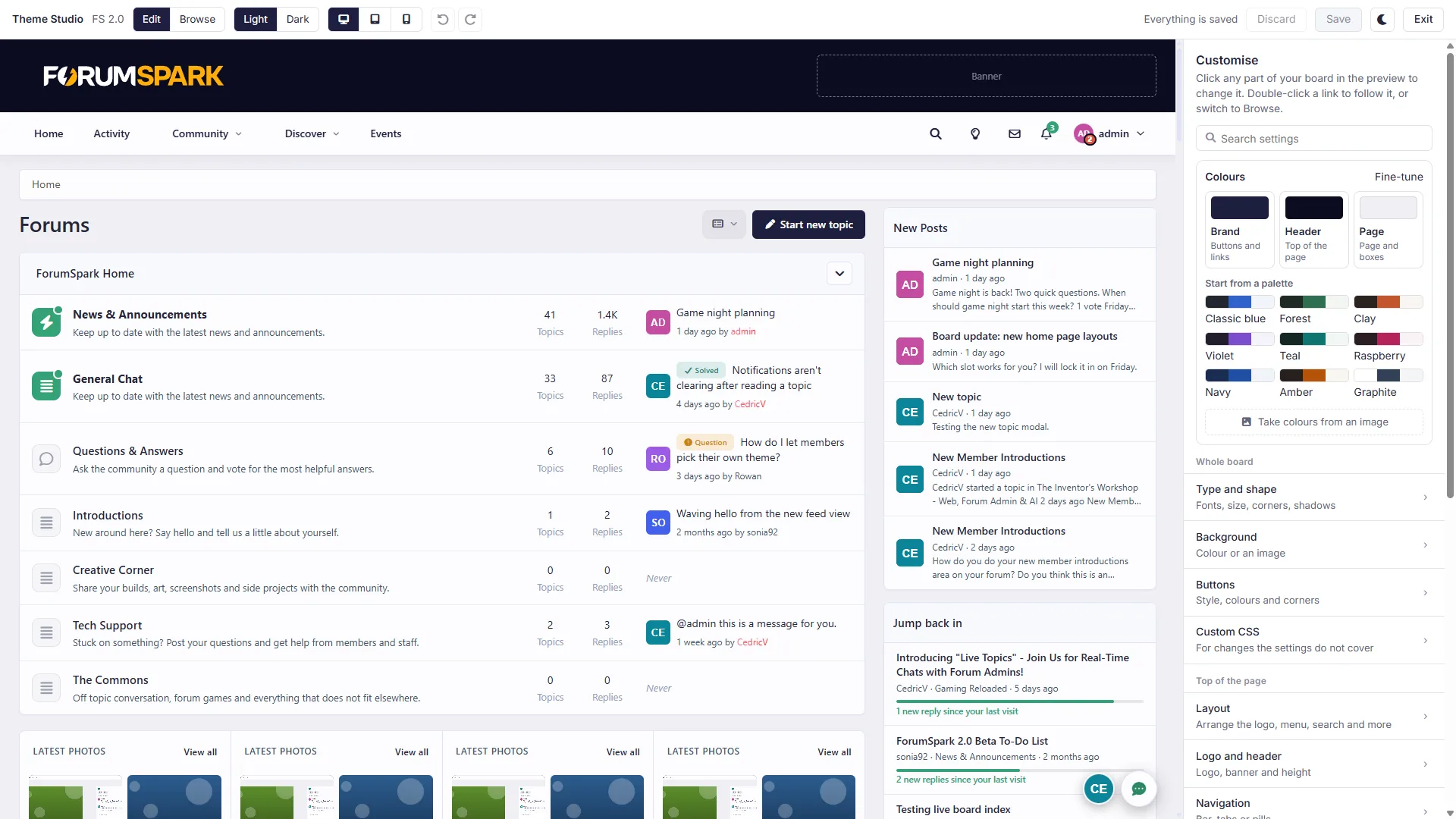
Colours
Your board's colours now come from three main colours: a brand colour (buttons and links), a header colour and a page colour. If you change one of them, everything that uses it changes too, in both light and dark mode.
There are nine ready-made palettes to start from.
You can let the studio take the colours from an image, like your logo.
Each colour has sliders for colour, strength and brightness. You can also just type a colour code.
The studio tells you when text becomes hard to read.
You can still set any colour by hand. It then stays the way you set it.
Themes made before 2.1 keep their colours. If you want them to use the three main colours, press Link every colour once.

Click what you want to change
You can now click anything on your board to change it: the header, a menu link, a forum row, a post, a button, a widget. Its settings open on the right, and a small panel on the board lets you style it.
Change all parts of that kind, or only the one you clicked.
Limit a change to phones, larger screens, hover or dark mode.
Set the background (also gradients), text, padding, corners, border and shadow.
There are a few ready-made looks to start from.
Copy the style of one part and paste it on another.
If you know CSS, you can write CSS for just that part.
Use Browse at the top if you want to click through your board like a member. Everything you changed is listed in the panel, and you can reset each part.

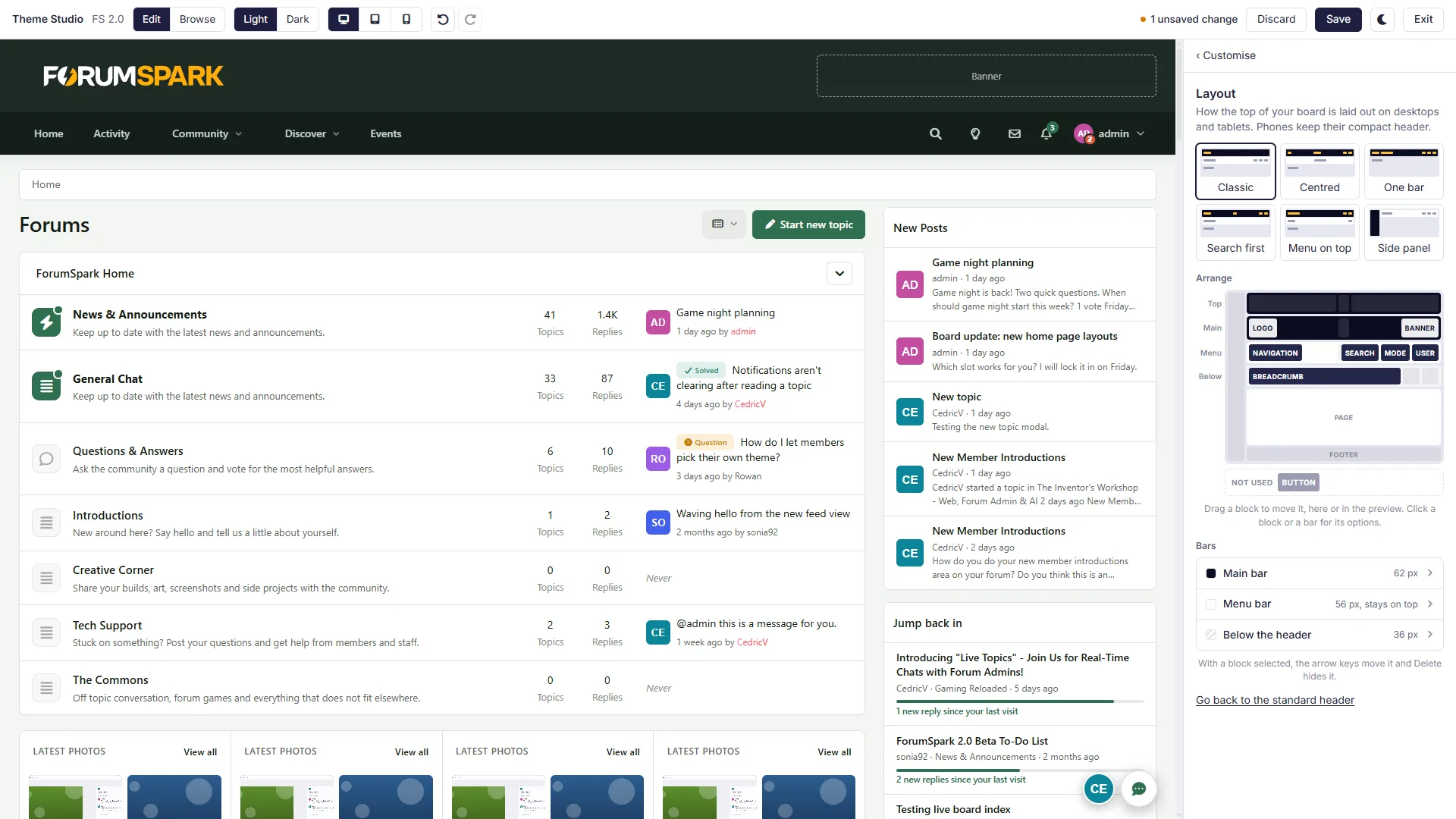
Header layout
You can now decide yourself how your header is put together.
Start from one of six layouts: Classic, Centred, One bar, Search first, Menu on top or Side panel.
Or drag the blocks where you want them: logo, navigation, search, the light/dark switch, the member menu and the breadcrumb.
There are two new blocks: a Button with your own link (for example to your Discord), and a Banner for a header ad or widgets.
For each bar you can set the height and background, and whether it stays on top while scrolling.
Phones always get a compact header. Your current header stays the way it is until you pick a layout, and you can always go back to the standard one.
Fonts, corners and background
More than 30 fonts, with a separate one for headings and for text.
Sliders for text size, corners, borders and shadows.
Filled or outlined buttons.
A background colour or image.
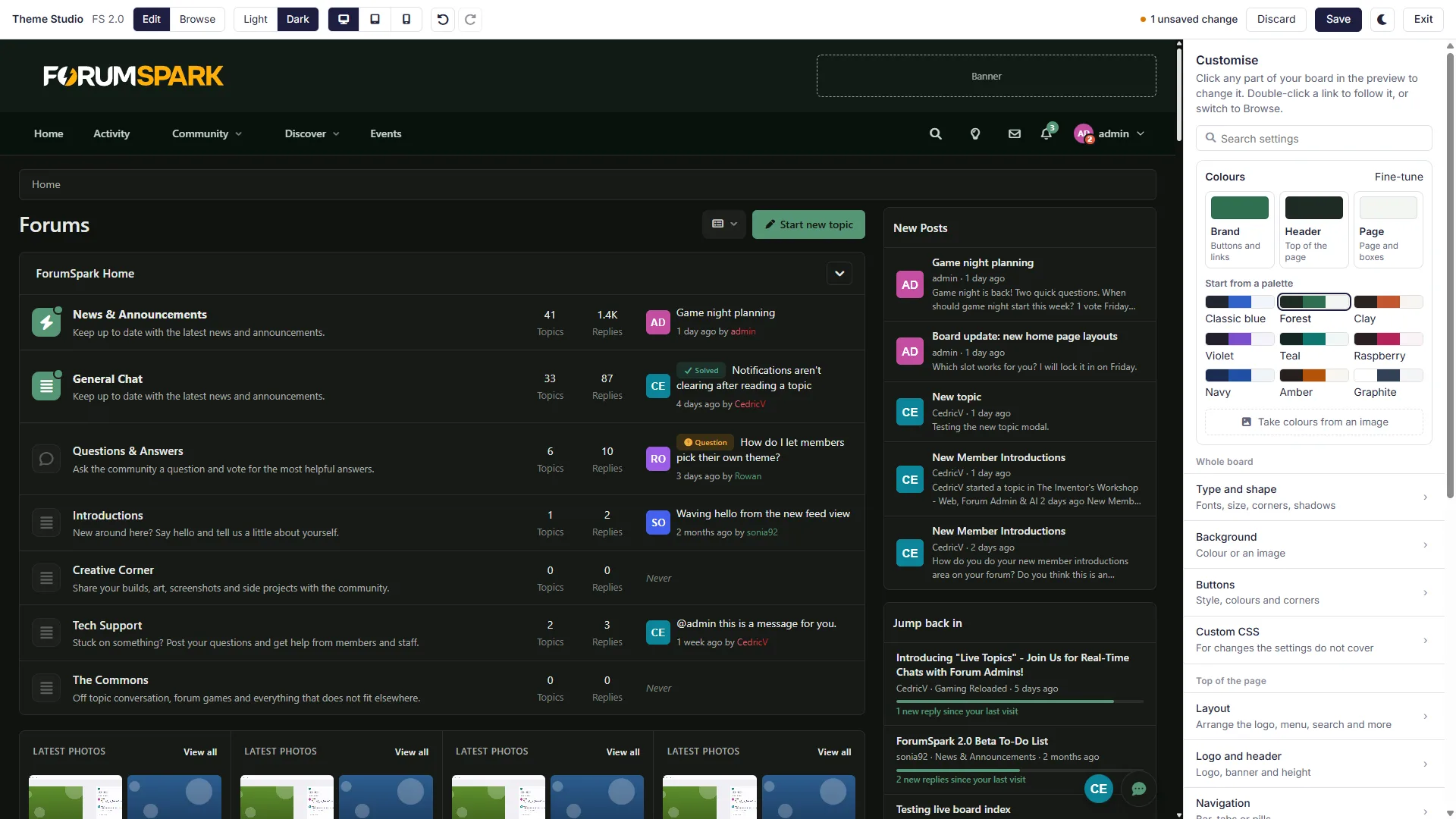
Light and dark
Dark mode is made from the same three colours, so you don't have to set every dark colour yourself. Press Dark at the top to change the things you want different. You can upload a separate logo for dark mode. Logos are now saved with your board, so you keep them when you switch themes.
Other things
Search the settings.
Undo and redo.
Desktop, tablet and phone previews.
A dark mode for the studio itself.
Settings that wouldn't do anything for the part you clicked are hidden.
Custom CSS, the layout and the templates are all still there.
More news soon!

